Feature index
What VirtualDJ puts under your hands.
The feature list covers the mix itself: live stem splits, decks, video, karaoke, a sampler, and a library. Build 9729, dated 22 October 2026, adds Apple Music on top of the stem pads, fluid beatgrids, and the FX list that passed 122 effects in the 2026 release.
Page updated 26 October 2026. Software build dated 22 October 2026.
01
Real-time stems
Vocal / Instru / Bass / Kick / HiHat
01 — Stems
Real-time stems and ModernEQ
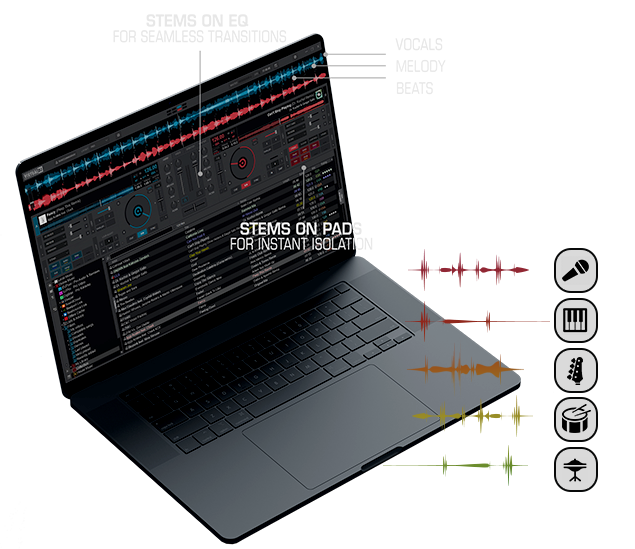
VirtualDJ 2026 can separate a track while it plays. The parts you can ride are vocal, instrumental, bass, kick, and hi-hat. The skin pads use the shorter names Vocal, Instru, Bass, Kick, and HiHat, plus a Stems FX slot.
- Instant acapella or instrumental on a song you already own.
- A live mashup: vocal from one deck, drums from the other.
- ModernEQ, which ducks a part instead of a wide frequency band.
- Stem pads for a quick mute or solo during the transition.
Stems 2.0 replaced the old bleed knob. The publisher says the 1.0 artifacts that bleed was hiding are gone. DJ Mag, reviewing the first version, still heard a trace on loud modern masters and less of it on older disco and pop. If your laptop shows the real-time warning, follow the stems guide and prepare the folder before the gig.
02 — Decks
Decks, sync, pads, and the sandbox
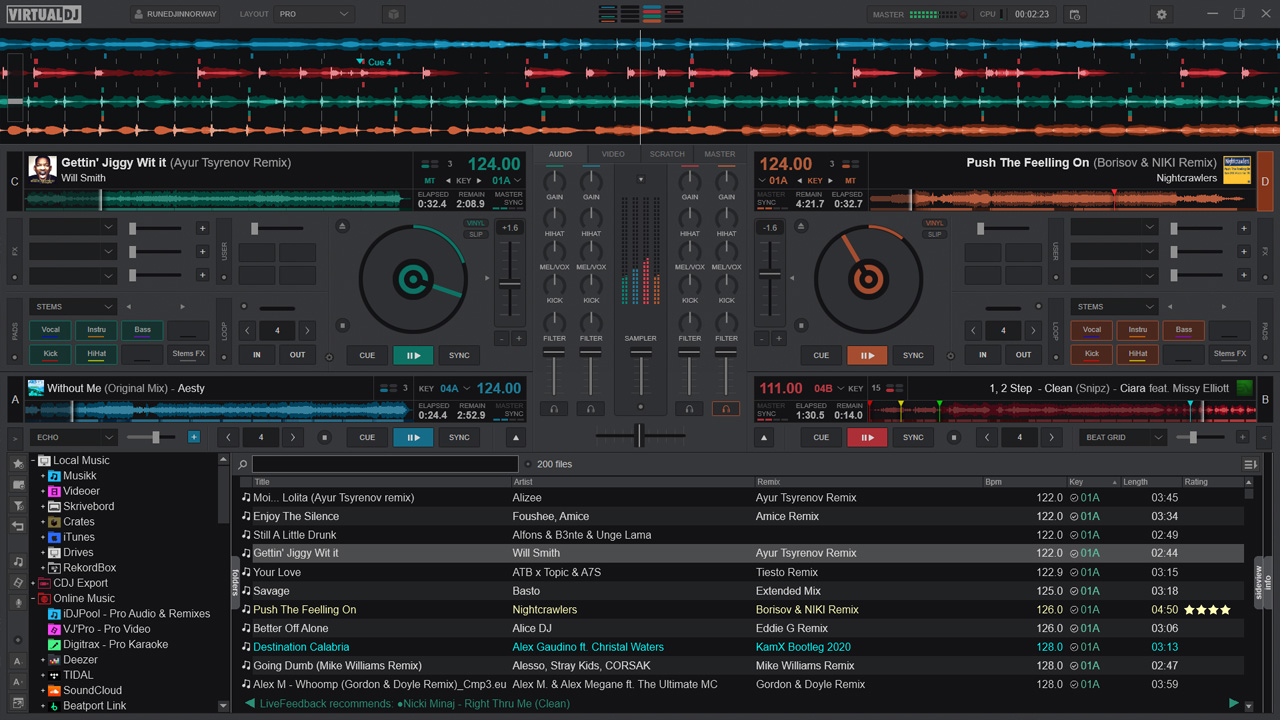
The license table allows from 2 to 99 decks. The skin most people see is two decks or four. Transport, jogs, waveforms, the mixer, EQ, filter, effects, loops, hot cues, sync, and quantized cues are all in the window. You do not need hardware to use them.
- Sandbox
- Audition the next move without sending it to the master. Leave the mode and the program returns to the live position.
- Scratch DNA
- Scratch routines written as a short pattern, with stock pads for a baby scratch, a crib, and your own DNA.
- Automix
- Plays a list with transitions based on the beat grid. Useful for dinner before the first dance. There is an editor for the transition points.
- Sampler and pads
- Unlimited sample banks, stutter and loop modes, and pad pages for loops, slicer, loop rolls, hot cues, and scratch. StemSwap, from build 8462, records a stem and plays it back in place of the original part.
03 — Picture
Video, karaoke, and lyrics
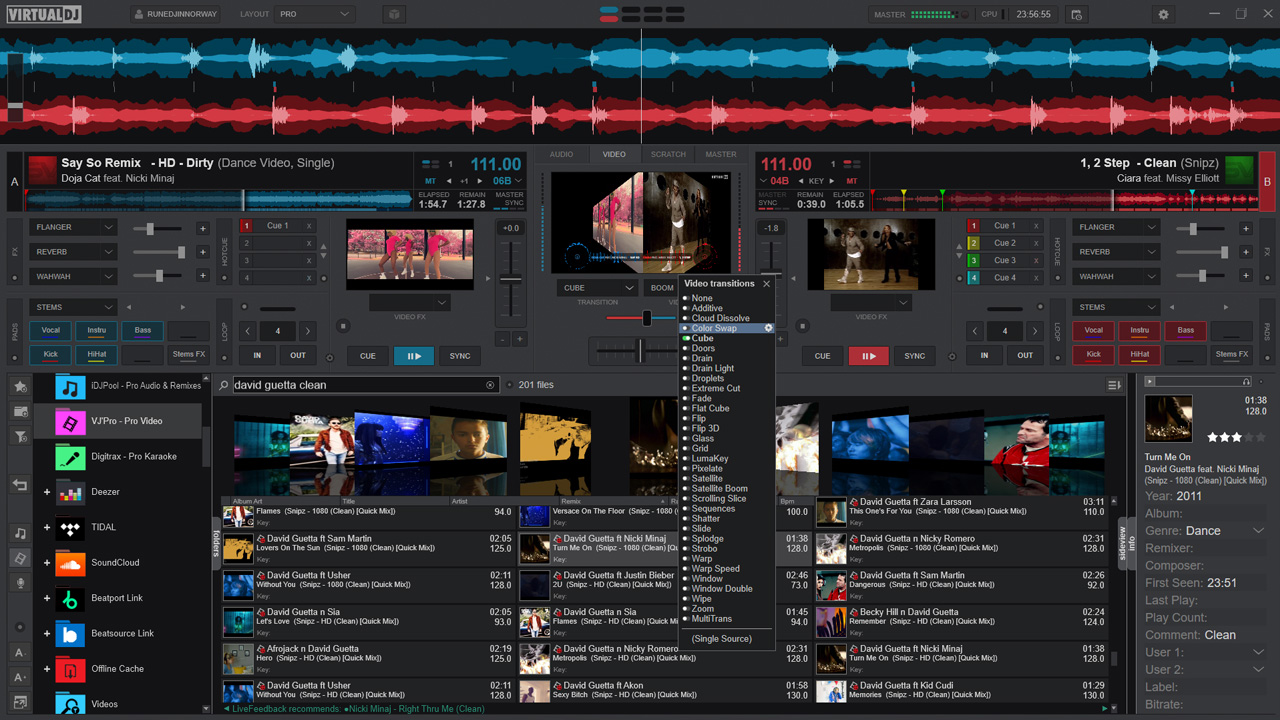
The video engine plays common video files in Full HD and 4K. You get transitions, text on screen, a camera input, screen grab, and overlays. Videoskins can show loops, cues, and the next track on a projector.
Karaoke plays the usual karaoke formats, stores singer name, key, and venue, and can list the next singer. Build 8962 added lyrics-assisted waveforms and karaoke that can run from an ordinary audio file, not only a karaoke video. Build 9246 improved the transcription. Right-to-left lyric layout arrived in later 2026 builds.
Audio-only sets can still fill a screen with shaders or AI loops. A second output wants an AMD or NVIDIA card, or an Apple Silicon Mac.
04 — Library
Library, catalogs, and requests
Search is fast, filter folders can key off BPM or key, and the tag editor writes the file info. History is filed by date.
- CloudDrive
- Sync lists through Google Drive, OneDrive, iCloud, or Dropbox. Added in VirtualDJ 2024, build 8055. One-way or two-way sync. Deleting asks first.
- Catalogs
- Spotify (build 9644), Apple Music (build 9729), Deezer, SoundCloud, TIDAL, Beatport, and Beatsource. Catalog tracks need a connection. Local files do not.
- Suggestions
- Genius DJ and a live suggestion strip based on what other DJs played next. The sideview can dock it.
- Ask the DJ
- Guests send a request from a web page. VirtualDJ can look the song up in the local library or a catalog. Tipping is optional on that page.
05 — Editors
Editors, effects, sampler
Pads, the track cleaner, video, samples, POI points, BPM, automix, and tags all ship in the install. The large frame is the editors skin. Effects and the sampler sit beside it.
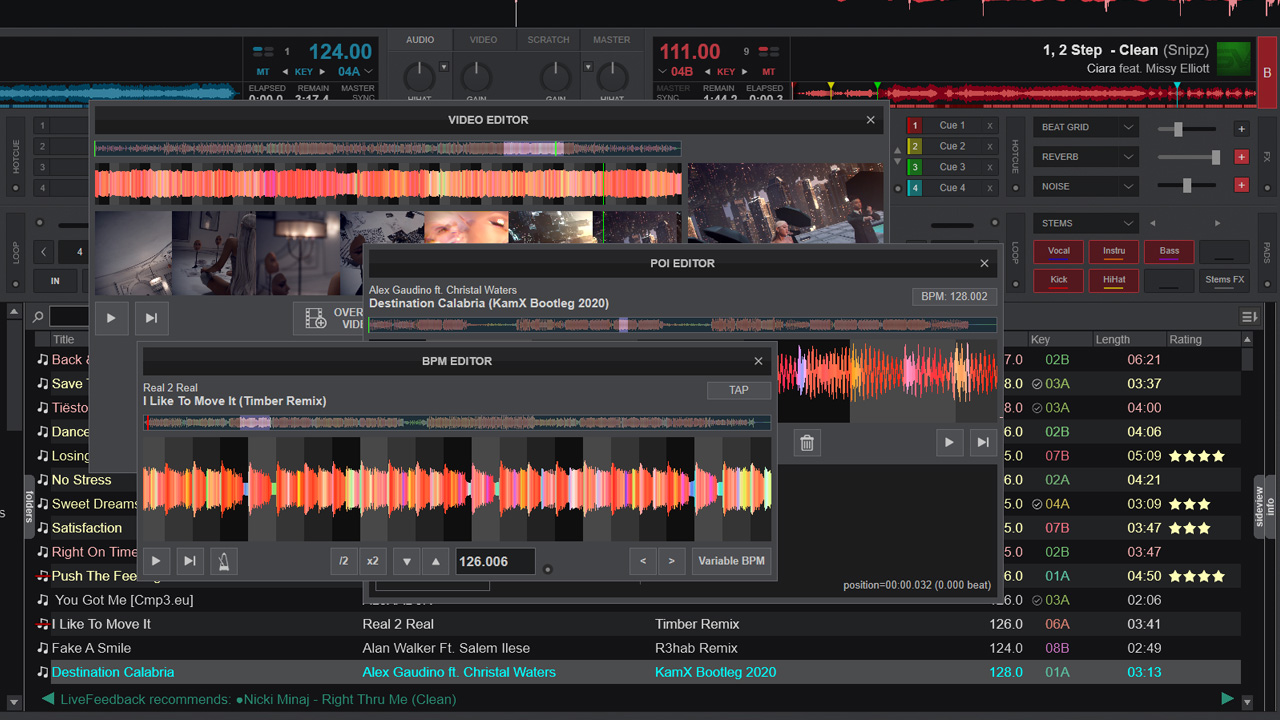
Editors: pads, track cleaner, video, sample, POI points, BPM, automix, and tags.
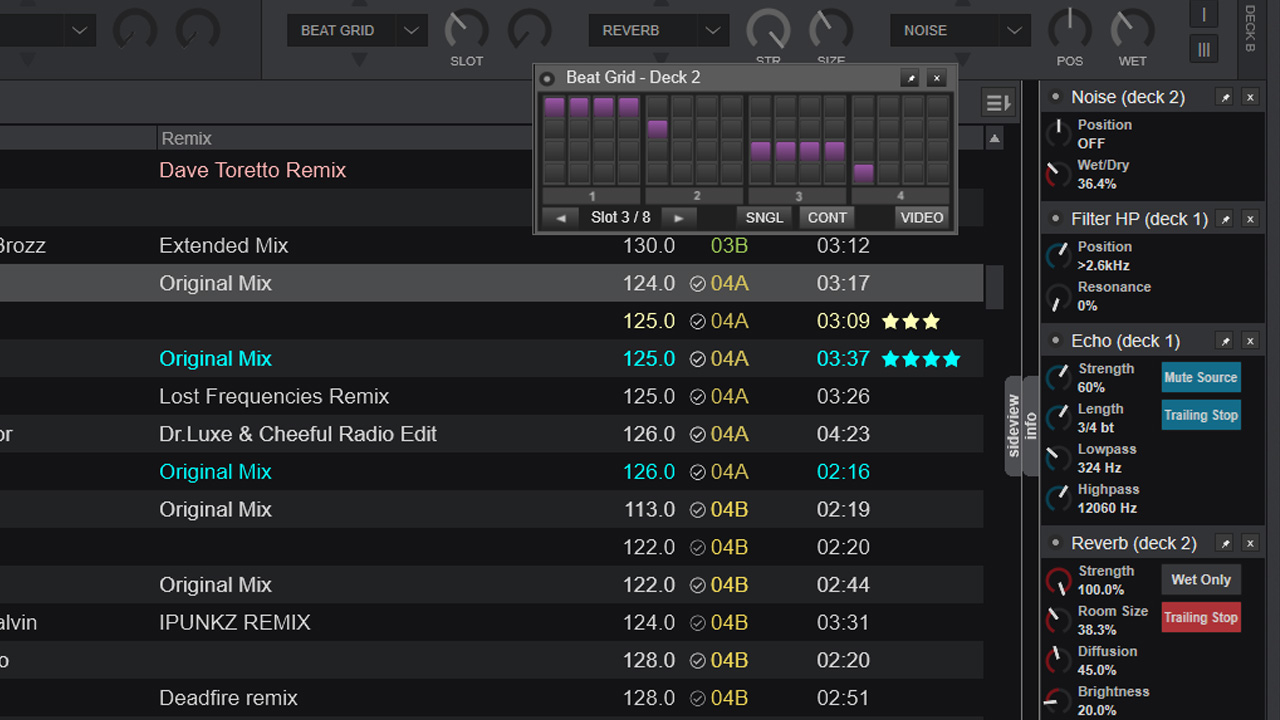
More than 122 effects in the 2026 engine, plus VST and VSTi.
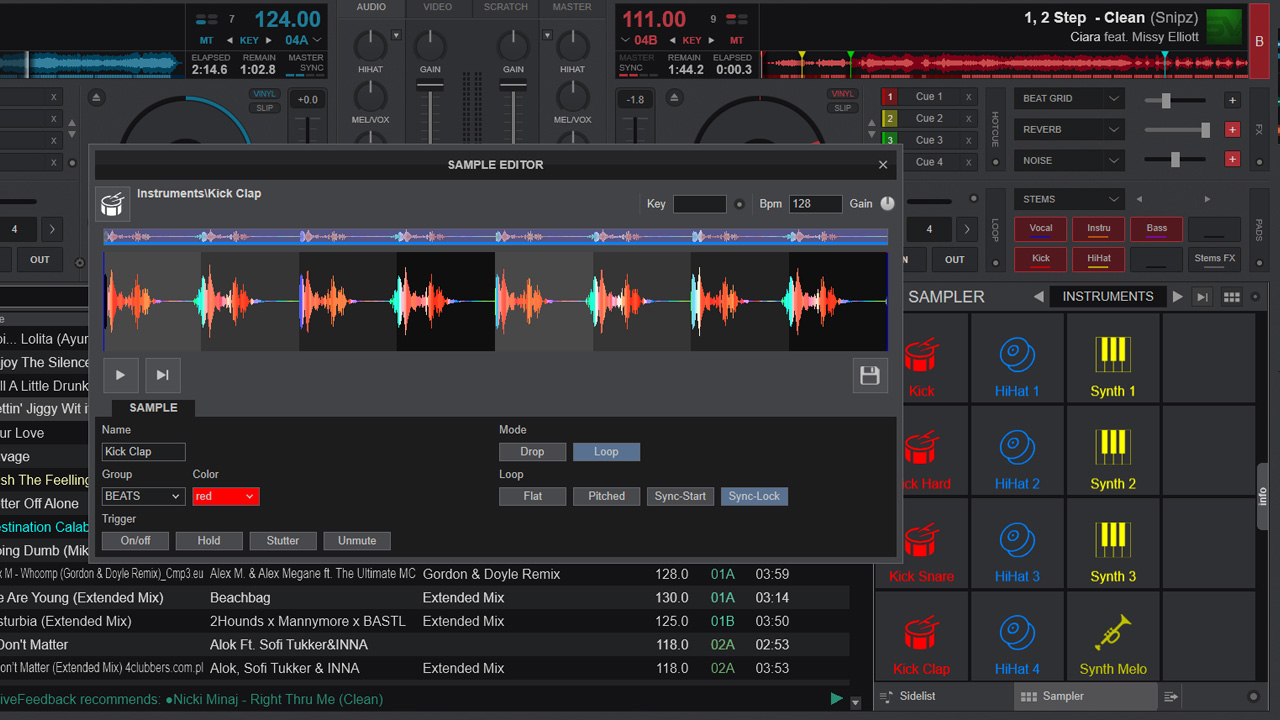
Sampler banks, including StemSwap from the 2025 release.
06 — Specs
Spec table
| Decks | 2 to 99, depending on the skin you load |
|---|---|
| Stem pads | Vocal, Instru, Bass, Kick, HiHat |
| Effects | More than 122 in the 2026 FX engine, plus VST and VSTi plugins |
| Video | Full HD and 4K, transitions, camera, screen grab |
| Controllers | More than 300 with plug and play, plus MIDI learn |
| Catalogs | Spotify, Apple Music, Deezer, SoundCloud, TIDAL, Beatport, Beatsource |
| Cloud | Google Drive, OneDrive, iCloud, Dropbox |
| OS | Windows 10 version 1709 or later, Windows 11, macOS 12 through macOS 26 |
| Stems GPU | NVIDIA GTX 1050 or better with 4 GB VRAM, RTX with 6 GB recommended, or Radeon RX 5600 XT or better |
| Remote | iOS and Android, Wi-Fi, USB, or Bluetooth tethering |
| Lights | OS2L to DMX software on the network |
| Link | Ableton Link, ReWire, and a live line input with BPM |
07 — Hardware
Hardware and DVS
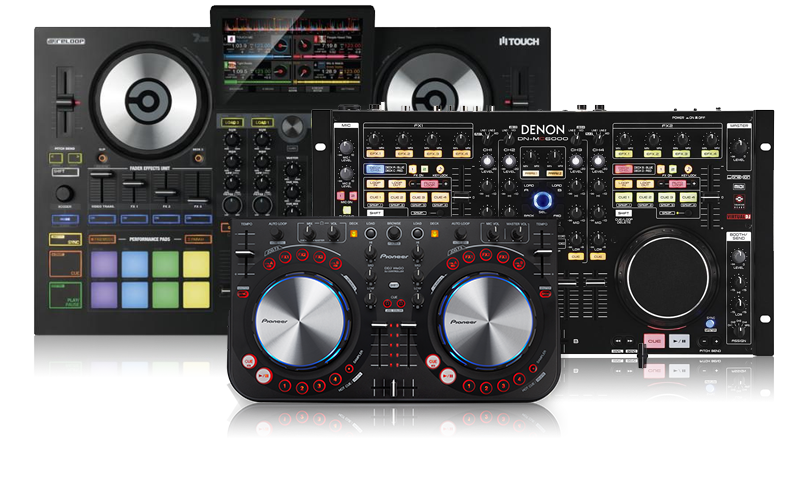
Plug the controller in. Supported devices from Pioneer DJ, Numark, Reloop, Denon DJ, Hercules, and Rane get a factory map. The mapper and MIDI learn cover a custom layout. VDJScript can drive almost any action.
DVS runs on timecode vinyl or CD, with the publisher's own signal or another common one. That path, and external mixers, sit on the Pro license. If a knob is dead, start with the controller guide.